
sonic gift card balance

In 2026, finding the perfect gift for the food lover in your life is simpler than ever. Whether you’re celebrating a birthday, a graduation, or just want to treat someone to a “Hub City” sunset snack, a Sonic Drive-In gift card is a masterclass in flexibility. It’s more than just a meal ticket; it’s an invitation to dive into Sonic’s massive menu of “Flavor-tainment”—from the iconic Cherry Limeades to the latest Oreo® Big Scoop Cheesecake Blasts.

While traditional television might be a passive way to unwind, the gift of a Sonic run offers a visceral, real-world experience that anyone can enjoy. But before you pull into a stall, it’s essential to understand the digital shift: in 2026, managing your balance through the Sonic App is the key to unlocking seamless “Order Ahead” perks and exclusive rewards.

In this comprehensive guide, we’ll walk you through how to check your Sonic gift card balance, the easiest ways to reload your funds, and how to digitize your plastic card for a truly contactless drive-in experience.

Sonic Gift Card Balance Overview

A Sonic gift card is a precious way to gift something delicious in the form of a card in order to relish their day with their favorite meals. 
sonic gift card

 Not even for a gift you can also purchase it for yourself from any sonic store as well as you can purchase egift cards in order to treat yourself for something delicious whenever you are short on cash or don’t want to keep cash you can use this gift card for your meal, drink and for many more things.

Kinds Of Sonic Gift Cards
sonoc egift card

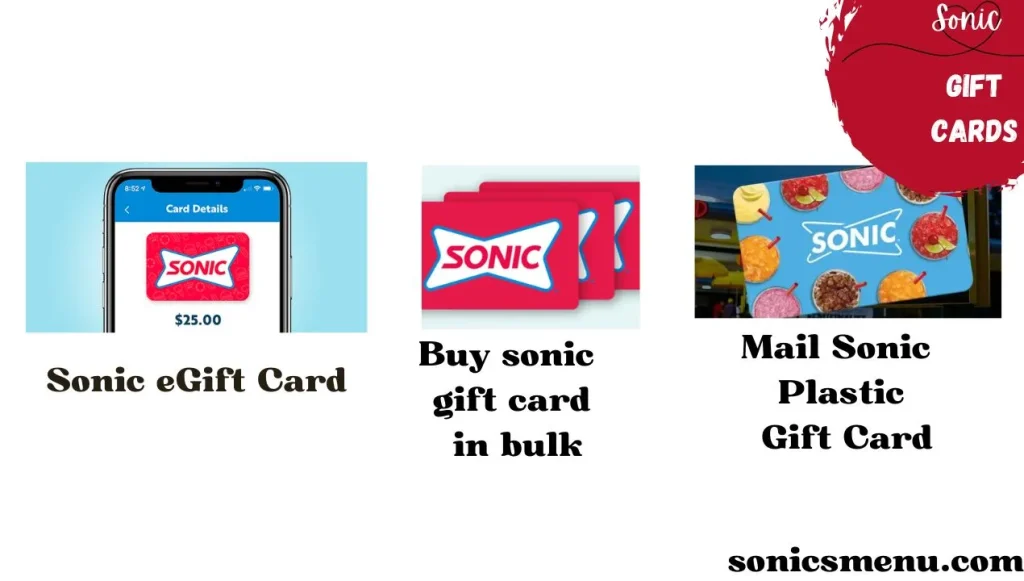
Sonic gift cards have two types which are mentioned below with their denominations.

Physical Gift Cards At Sonic Drive-In

  • With these physical gift cards you are able to purchase any of your desired food from any sonic outlet
  • These physical cards come with the amount of $5, $10, $25, $50, $100.

Sonic Drive-In eGift Cards

  • By using these egift cards you can easily buy your meals from the sonic website and App.
  • Denomination of these cards is available from $5, $10, $25, $50, $100.

You can use all these cards in order to buy anything from the sonic menu. You can also utilize this at sonic app. 

This is a nostalgic gift for your family, friends with love and delectable taste.

Ways To Check Sonic Gift Card Balance

If you are thinking about your remaining amount in your gift card. Here are some convenient methods to check your gift card balance.  

Online Method

  • Open sonic website https://sonicdrivein.com
  • Scroll down toward “sonic gift cards”
  • Provide your gift card number with PIN code in to check sonic gift card balance

Through Phone

Here sonic offers you a more convenient way to check your gift card balance through the phone just by typing some numbers on your screen.

  • Simply dial 1 (866) 657-6642  or you can dial 1-800-SONIC-Ok in order to request a balance update.

By using both methods your balance will be shown on the screen.

A comprehensive Guide On Terms And Use Of Sonic Gift Card

  • These gift cards are only issued by sonic and not available on any other platform
  • These cards don’t even expire and also have no service charges
  • You can use these cards at sonic drive-in only via SONIC APP or SONIC website or even you can use sonic plastic gift card physically
  • You cannot change it with cash you can only buy food with these gift cards from sonic
  • You cannot use these gift cards in order to purchase more cards
  • If you use these gift cards in any illegal activities or any fraudulent activity shows your card will lead to deactivation
  • If you misuse or lose this card you will not get this card another time. Because it’s not a debit or credit card. It’s just a gift card to buy food.

Ways to Reload Your Gift Cards

You can reload your gift cards and get additional funds

  • You can visit sonic drive-in person and meet any sonic staff member in order to ask for assistance for card reload.
  • In order to reload your card online you can simply visit sonic website. Scroll toward “Gift Card” section
  • You can also reload your gift card by contacting customer service.

All these are convenient ways to reload your gift cards. 

Advantages and Disadvantages of using Sonic Gift Card

Here are some pros and cons of using sonic gift card mentioned below:

Additional Tips

Here are some additional tips you can use in order to maximize your gift card balance.

  • You can use your gift card balance during promotions or during special days in order to get some savings
  • You need to reload your card timely for next use 
  • You can get value deals so keep up to date with sonic
  • Keep your gift card on safe place as you can’t renew it if lost
  • Make sure to check your balance before visiting sonic
  • If you are using it online make sure that 16 digit number and PIN is correct

FAQs

You can simply check your card balance by following these easy steps;

  • Visit Sonic website https://sonicdrivein.com/gift-cards
  • In the gift card section you can simply provide your card number and PIN and your balance will be displayed on the screen.

You can’t buy it from any location. Sonic gift cards are only available at Sonic Drive-in. So avoid buying gift cards from amazon, target and walmart or any other unauthorized channel.

Sonic gift cards don’t have any expiry date however if you don’t use it in a year it may deactivate and you may have to pay some for the activation process.

You can use a sonic gift card as a precious gift or you can use it for yourself in order to buy food from sonic.

A sonic gift card amount starts from $5 to $100. You can use it at any sonic restaurant in order to buy food.

No you can’t change it into cash these cards are only available for food at sonic locations.

If you lose your sonic gift card you can’t get it back. As sonic doesn’t offer unauthorized or stolen gift cards back. So you need to keep it secure.

Yes! Sonic accepts Apple pay.

The 2026 Digital Edge: Stacking Rewards with Your Gift Card

In the current landscape of 2026, simply carrying a physical card is “old school.” To get the most bang for your buck, you should digitize your balance. This not only secures your funds if you lose the physical card but also unlocks exclusive Sonic App perks that cash users miss out on.

How to Digitize Your Card in Seconds

Adding your gift card to the Sonic App is the secret to “Order Ahead” speed. Follow these steps:

  1. Open the App: Navigate to your Account/Profile icon in the bottom left.

  2. Payment Methods: Select “Payment Methods” and tap “Add New Payment Method.”

  3. Link it Up: Choose “Enter a Gift Card Number” and input your 16-digit code and PIN.

  4. Go Contactless: Once linked, you can pay via the app at the stall by selecting your gift card balance at checkout.

Why You Should Link Your Card Today

  • Half-Price Drinks Forever: When you use your linked gift card to “Order Ahead” in the app, you get Half-Price Drinks and Slushes any time, not just during Happy Hour.

  • The “Pay and Reload” Loop: In 2026, you can set your app to Auto-Reload your digital gift card using Apple Pay or a credit card. This ensures you never have an awkward “insufficient funds” moment at the intercom.

  • Safety Net: Physical cards are like cash—if you lose them, they’re gone. However, once a card is registered to your MySONIC account, your balance is protected by your login credentials.

Final Thoughts

Sonic gift cards are a convenient way to gift something nostalgic for your loved ones as well as a convenient way to get your favorite meal when you are short on cash. The main advantage of these cards is if you buy it in bulk you can maximize your savings as well as you can buy anything for yourself even if you don’t have cash. You can also look for sonic 2 for $5 menu to maximize your savings.

You can use these gift cards only at sonic in order to buy food. You can use physical gift cards at any location as well as you must remember you can’t redeem cash in return of this card.

Enjoy your delicious meal at sonic by using a gift card.

Similar Posts